
[youtube]https://www.youtube.com/watch?v=GL6ep7O9Fsk[/youtube]
I get quite a few requests to show off my sim racing chassis, rig, cockpit, whatever you want to call it. So I’m going to take you on a quick tour of what I have in my sim racing setup.
Starting with the base. It’s a platform that was originally used by Fanatec at trade shows and had a Rennsport cockpit attached to it. Since I took off the Rennsport a while back I’ve had at least four different chassis on top of it. Since it’s usually not a quick change, I try to stick with one configuration as long as I can.
Over the past few weeks, I converted it from a DIY 80/20 rig that I put together with a variety of pieces I had laying around to this a JCL Sim Racing “To Be Faster” setup that will be available to purchase soon. Their website will be up and running in a few weeks and I’ll be doing a full review on it. It’s also made out of extruded or extrusion tubing that makes it very configurable and sturdy.
I’m going to go to the front of the cockpit and work my way back and discuss what I have.
Starting with the speaker system, it’s made by Teuful and they are available in Europe and it’s one of the few remaining components from the original setup. It’s a 5.1 system with a gigantic woofer. I have the front three speakers mounted to a GT Omega Triple screen stand and the rear speakers directly mounted to the chassis.
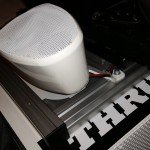


Next up I have two transducers. One is a Buttkicker LFE powered by a Buttkicker amp and the other is a Kwoon transducer powered by a DOT2SR amp. The buttkicker is mounted in the front under the base of the platform and the Kwoon is mounted inside my the back of my seat. Both are powered by Sim Vibe created by SimXperience in Extensions mode.


While I’m at the seat, this is a budget seat that reclines and has sliders that was on my original racing rig. I plan to change it out in the future, but is fairly comfortable, and worn as you can see here from being moved all over the place. I have also attached the cushions that came with the GT Omega Pro Supreme to the seat to add comfort.


Moving back to the front, I have 3 22″ Asus monitors that are capable of running at 120 hz. My PC which I have sitting next to the chassis is powered by an Intel i5 4690k Haswell quad core, not currently overclocked on an ASUS Maximus 7 Hero board, 8 gigs of G Skill ripjaws X Series Ram, SSD drive with an Nvidia GTX 780 ti video card. To maintain 120 hz at all three monitors I have two running DVI cables and one using am Accel display port to DVI adapter. I also have an extra ASUS Xonar sound card installed to handle sim vibe and use the onboard sound with an optical cable to run my 5.1 speakers.

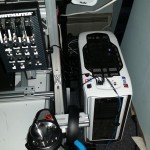


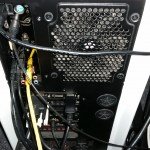
I also run a direct line from my router so that my internet connection is as rock solid as possible.
In the middle of all this, I run either DSD pedals, or right now I’m using a set of T500 pedals that have a load cell. I love the DSD pedals, but In preparation for the iRacing 24 Hours at Daytona the DSD brake pedal was a little too heavy for the 6 hours I ran. The T500 pedals with the load cell are pretty awesome though as well.

The wheel I use is a Thrustmaster T300 RS and I swap rims out depending on the type of car I’m racing. I have six different rims to choose from. I have two button boxes, one on each side of me. One of them is an SRX Innobox Pro and the one other is an older Derek Speare Designs Race King.

For my display, I use a SimInstruments dash and have it mounted right above the SRX Innobox.


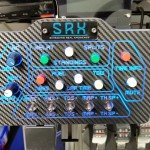
To handle the shifting duties either in sequential or gated mode I run a Thrustmaster TH8A.

I also have a Logitech G430 headset to handle chat functions, or I can convert it to audio when the family is sleeping or I don’t want to rumble the whole house.

Finally, my keyboard sits to my right on this tray that I had from a Gamepod chassis and I use this Logitech K400 keyboard that has a touchpad built in so I don’t have to use a mouse.

So there you have it.. How much is all of this cost, great question. I would venture to say that a fully built setup like this could be put together for about $5000.
I’ll be doing features like this on the show and would love to showcase your sim racing setup. If you’d like to be on Inside Sim Racing, send me an email at darin@isrtv.com. Have lots of photos for me, video would be great and a detailed description. You should also post your setup in our forums in the Sim Racing Cockpits / Rigs section to share with the world.
That’s going to wrap things up. If you have any questions on my setup, feel free to put them in the comments here or on You Tube and I will answer them as quickly as possible. While you’re there, we’d appreciate a thumbs up or “Like” on this video.
Thanks for watching and or reading about my sim racing setup !
That dvi splitter thing has really piqued my interest. My GTX 780 3Gb video card has never been able to do this 120Hz with my tv/monitors that are 120Hz capable but I am running the three different type cable that I had. I don’t recommend mixing sizes like this, but the sides are just the side windows…
Great video, I always learn something.